What is HTML?
HTML (Hyper Text Markup Language)
Definition: HTML is a markup language that specifies the meaning and structure of web content. It uses elements (tags) like <p>, <h1>, <img>, and <a> to describe how content should be displayed.
Core Anatomy of HTML Element
Opening Tag:
<tagname>marks where the element begins.Content: The actual text or media being displayed.
Closing Tag:
</tagname>marks where the element ends, using a forward slash.
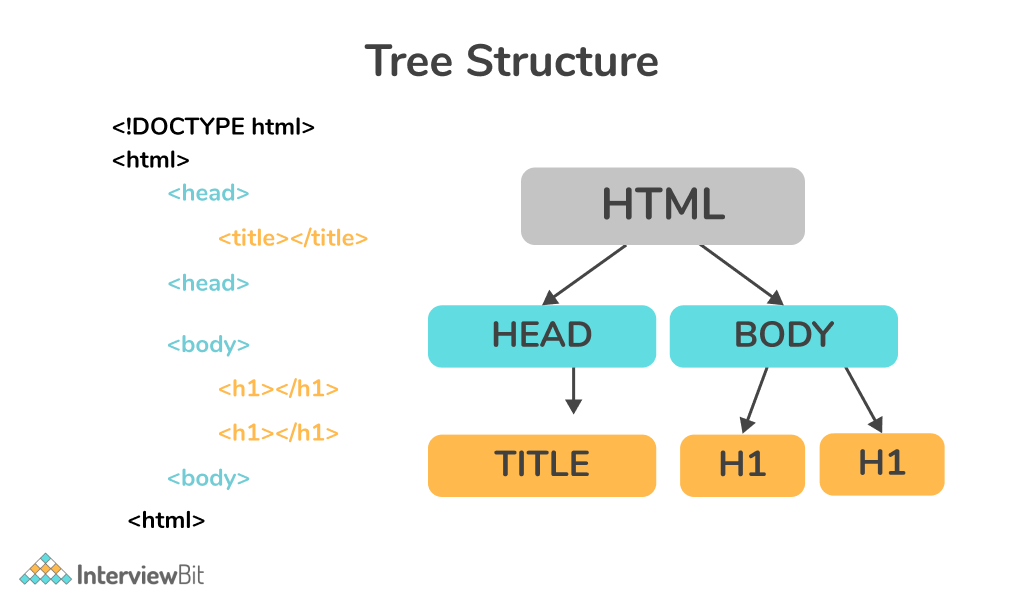
Standard Document Boilerplate
<!DOCTYPE html>
<html lang="en">
  <head>
    <meta charset="UTF-8">
    <title>My First Webpage</title>
  </head>
  <body>
    <h1>Welcome to My Website</h1>
    <p>This is a basic paragraph of text.</p>
    <button>Click here!</button>
  </body>
</html>
Essential Structural Components
<!DOCTYPE html>: Informs the browser that this is an HTML5 document.<html>: The root element that encloses all content on the page.<head>: Houses backend metadata, character sets, and the tab title.<title>:Sets the text displayed on the web browser's tab.<body>: Contains the visible content of the page shown to users.
🎯 Learning Objectives
By the end of this lesson, learners should be able to:
Understand the role of HTML in structuring web content.
Apply CSS to style and visually enhance web pages.
Differentiate between inline, internal, and external CSS.
Build a simple, styled webpage from scratch.
🧩 Key Topics
HTML Structure
Elements, tags, attributes
Semantic HTML (e.g.,
<header>,<main>,<footer>)
CSS Fundamentals
Selectors, properties, values
Colors, fonts, spacing, and layout basics
Box Model
Content, padding, border, margin
How it affects layout and spacing
Styling Methods
Inline styles
Internal
<style>blocksExternal
.cssfiles
Practical Exercise
Create a simple webpage with a heading, paragraph, image, and styled button.
This lesson sets the stage for building interactive and visually appealing websites. Next, we can move into JavaScript Essentials to add interactivity after learners grasp the basics of structure and style.